どうぶつせきがえ サポート
どうぶつせきがえ とは
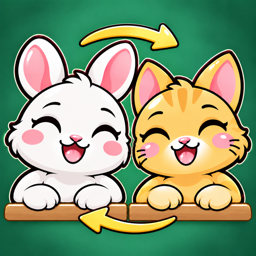
バラバラに座った動物たちを2匹ずつ入れかえて、全員の「ここに座りたい」をかなえる席替え推理パズルです。運の要素も時間制限もなく、答えは1つ。少ない入れかえで解くほど★が増えます。毎日1問の「今日の席替え」と、週末の「席替え大会」もあります。
別の端末で続きから遊びたい
同じ Apple アカウントで iCloud にサインインしている端末どうしなら、進み具合は iCloud を通じて自動で引き継がれます。
購入を復元したい
「設定」→「購入を復元する(広告削除)」を押してください。同じ Apple アカウントで購入した広告削除・広告削除パックが戻ります。コイン・ヒント券など使うとなくなる商品は復元できません。学期パスが有効かどうかは、アプリを開くたびに App Store で確認します。
学期パスを解約したい
学期パスは1か月ごとの自動更新です。期間が終わる24時間前までに解約しないと、自動で更新されます。iPhone の「設定」→(上部の自分の名前)→「サブスクリプション」→「どうぶつせきがえ」から解約できます。解約後も、いまの期間が終わるまでは使えます。
返金したい
購入と返金は Apple が処理します。Apple の「問題を報告する」(reportaproblem.apple.com)から申請してください。
広告について
広告は面をクリアしたあとなどに、間をあけて表示します。起動したときや失敗したときには出しません。広告削除を購入すると広告は出なくなり、広告で受け取るごほうびは広告を見ずに受け取れます。トラッキングの許可は iPhone の「設定」→「プライバシーとセキュリティ」→「トラッキング」で、同意が必要な地域では本アプリの「設定」→「広告のプライバシー設定」で変えられます。
お知らせを止めたい・時間を変えたい
「設定」→「今日の席替えのお知らせ」で時間を選ぶか、「送らない」を選んでください。
ランキングに載らない
ランキングは Game Center を使います。iPhone の「設定」→「Game Center」でサインインしてください。送れなかった記録は、サインインしたときに送り直します。
記録を削除したい
端末内の記録は、本アプリを削除すると消えます。詳しくはプライバシーポリシーの「データの削除」をご覧ください。
お問い合わせ
本ポリシーおよび本アプリに関するお問い合わせは、contact.consumer@felin.jp までご連絡ください。
Dobutsu Sekigae Support
What is Dobutsu Sekigae?
A seat-swap logic puzzle: animals are sitting in the wrong seats, and you swap them two at a time until every animal gets the seat it wants. No luck, no time limit, and exactly one answer. The fewer swaps you use, the more stars you earn. There is also a Daily Puzzle every day and a Weekend Tournament.
Continue on another device
Devices signed in to iCloud with the same Apple Account carry over your progress automatically through iCloud.
Restore a purchase
Open Settings and tap “Restore purchases (Remove Ads)”. Remove Ads and the Remove Ads Pack bought with the same Apple Account come back. Items that are used up, such as coins and hint tickets, cannot be restored. Whether your Term Pass is active is checked with the App Store each time you open the app.
Cancel the Term Pass
The Term Pass renews automatically every month unless you cancel at least 24 hours before the end of the current period. Cancel it in the iPhone Settings app → (your name at the top) → Subscriptions → Dobutsu Sekigae. After cancelling, you can keep using it until the current period ends.
Ask for a refund
Apple handles purchases and refunds. Use Apple’s “Report a Problem” (reportaproblem.apple.com).
About ads
Ads appear after clearing stages and similar moments, with gaps in between. They never appear at launch or when you fail a stage. Buying Remove Ads stops ads, and rewards that normally require watching an ad are given without one. You can change tracking permission in the iPhone Settings app under Privacy & Security → Tracking, and, where consent is required, in the app’s Settings → “Ad privacy settings”.
Turn off or change notifications
Open Settings and choose a time under the Daily Puzzle notification option, or choose not to receive them.
My score is not on the leaderboard
Leaderboards use Game Center. Sign in from the iPhone Settings app → Game Center. Scores that could not be sent are sent again once you sign in.
Delete my records
Records on your device are erased when you delete the app. See “Deleting your data” in the Privacy Policy.
Contact
For questions about this policy or the app, write to contact.consumer@felin.jp.